
How Often Should You Replace Printer Maintenance Kits and Fuser Units?
On most business laser printers, a maintenance kit is due somewhere between 100,000 and 500,000 pages, depending on the make and model. Fuser units on smaller office printers often need replacing sooner, sometimes from around 50,000 pages, while larger machines can go much further. The printer will usually tell you when the time is close, and the exact figure for your model is listed in its service documentation.
That’s the headline. The detail matters, though, because getting the timing wrong in either direction costs you. Replace too early and you’re throwing away good parts. Leave it too late and you’ll be dealing with jams, poor print quality and, in the worst cases, damage to other parts of the printer.
What’s actually in a maintenance kit?
A maintenance kit is a bundle of the parts in a printer that wear out through normal use. The contents vary by manufacturer, but you’ll typically find some combination of:
- Pickup and feed rollers, which grab each sheet from the tray
- Separation pads or rollers, which stop the printer picking up two sheets at once
- Transfer roller, which helps move toner from the drum onto the paper
- Fuser unit, on many models, which is usually the most expensive single item in the kit
On some brands, Kyocera in particular, the kit also includes the drum and developer units, because those are designed to last far longer than a toner cartridge.
What does a fuser do, and why does it wear out?
The fuser is the part that makes laser printing permanent. Toner sits loosely on the page after it leaves the drum, and the fuser uses heat and pressure to melt it into the paper. It’s essentially a pair of heated rollers or a heated film sleeve, running at high temperature every time you print.
That constant heating and cooling, plus friction from every sheet that passes through, gradually wears the coating on the rollers and the sleeve. Labels, thick card and envelopes speed this up. So does printing lots of short jobs, because the fuser warms up and cools down far more often.
Typical intervals by brand
Every model is different, so treat these as rough guides rather than rules. The printer’s status page or configuration report will show the page count and, on most business models, the remaining life of each part.
HP
Many HP LaserJet Enterprise printers use a maintenance kit that includes the fuser and rollers, often rated at around 200,000 to 225,000 pages. Smaller LaserJet Pro models may not have a full kit, and instead have the fuser and rollers replaced separately as they wear. The printer shows a “Replace maintenance kit” or similar message when it’s due. Our HP printer repairs team fits these kits regularly across both ranges.
Kyocera
Kyocera’s MK-series kits are among the most comprehensive. Depending on the model, they can include the drum, developer, transfer roller and fuser, with intervals anywhere from 100,000 to 500,000 pages or more. Because Kyocera toner is a separate, inexpensive item, the maintenance kit is where most of the long-term running cost sits.
Ricoh
On Ricoh printers and multifunction devices, preventive maintenance parts are tracked by the machine and replaced at set counter readings. On larger copiers this is normally handled by an engineer under a service plan, while smaller Ricoh printers may show a “replace maintenance kit soon” message. Ricoh printer servicing is usually best done as one visit covering all the parts due at the same counter reading.
Brother
Many Brother business lasers track the fuser, laser unit and paper feed kit separately, with messages such as “Replace Parts Fuser Unit” or “Replace PF Kit”. On typical office models these are often rated somewhere around 50,000 to 100,000 pages, with the drum unit replaced separately and more often. If you’re seeing those messages for the first time, our Brother printer support engineers can confirm which parts are actually due.
Canon
Canon’s imageRUNNER copiers are usually serviced by counter, with parts swapped by an engineer during routine visits. On smaller i-SENSYS printers, the fuser is typically replaced as a separate part when it fails or print quality drops. Our Canon printer engineers work across both.
Page count isn’t the only factor
Manufacturers rate parts on a standard type of page, usually plain A4 with light coverage. Real offices don’t work like that. Things that shorten part life include:
- Heavy use of labels, envelopes, card or glossy stock
- Lots of single-page jobs, which make the fuser heat and cool constantly
- Duplex printing, which sends each sheet through the rollers twice
- Dusty or humid rooms
- Cheap paper that sheds fibres and dust into the paper path
Equally, a printer that does long runs on good-quality paper may comfortably outlast its rated figure. That’s why we’d always look at the condition of the parts, not just the counter.
Signs a fuser is on its way out
Even before the printer flags it, a worn fuser usually gives itself away:
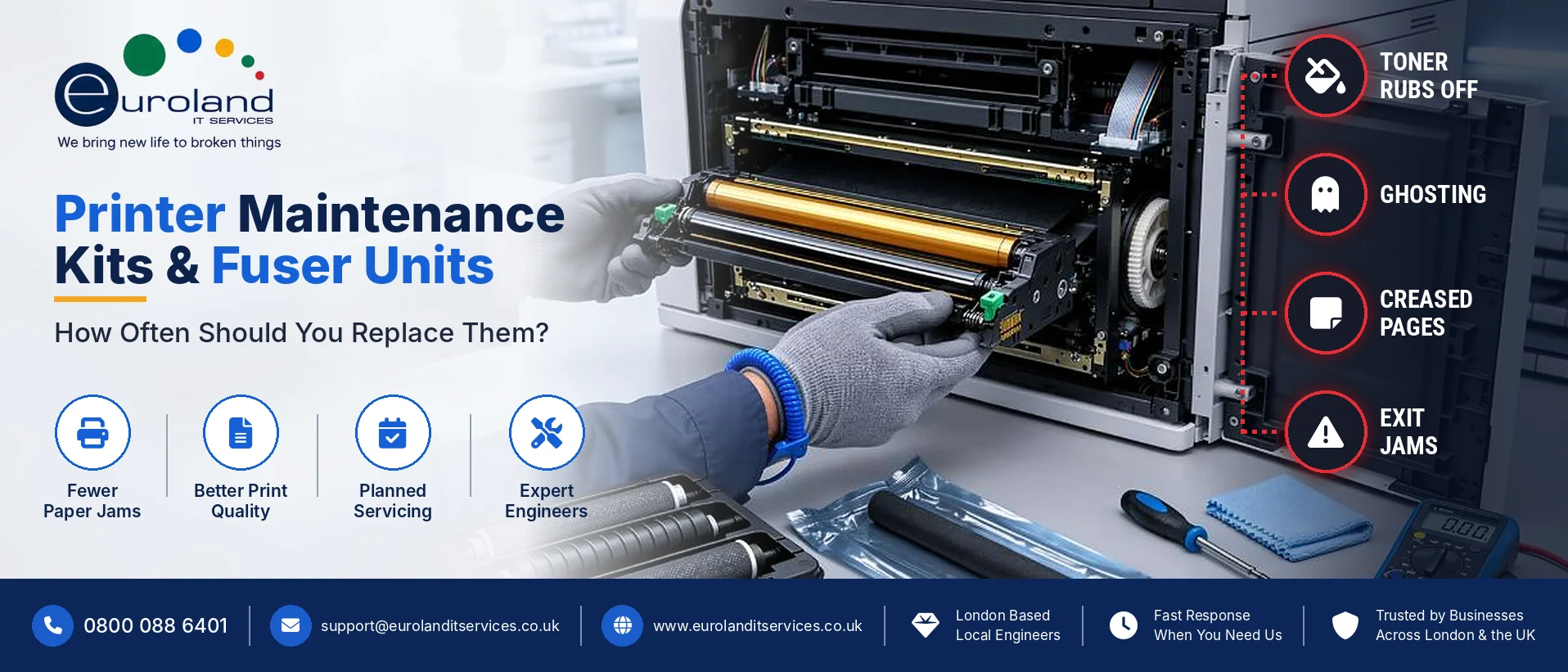
- Toner rubs off when you run a finger across the page
- Ghosting, where a faint repeat of the image appears further down the sheet
- Creased or wrinkled pages, especially along one edge
- Grey background or smudges that repeat at regular intervals
- Paper jams at the exit, just after the sheet leaves the fuser
- A burning smell or unusual noise when printing starts
If you’re getting jams earlier in the paper path, worn pickup rollers are a more likely culprit. Our guide to the most common printer faults covers how to tell the two apart.
What happens if you ignore the message?
Most printers keep running for a while after the “maintenance kit due” message appears. Some let you clear it and carry on. It’s tempting, especially when the printer still seems to work fine.
The risk is that a worn fuser can start to damage other parts. A torn fuser sleeve can scratch rollers. Worn pickup rollers cause more jams, and every jam is a chance for someone to pull paper out the wrong way and break something. What would have been a simple, planned part swap turns into an urgent repair while the office waits.
Fitting matters as much as timing
Fitting a maintenance kit isn’t hard on every model, but it’s easy to get wrong. Fusers are hot and fragile. Rollers need to seat correctly. And on most printers the kit counter needs resetting through the control panel or service menu, otherwise the message comes straight back, or the printer stops tracking the new parts properly.
An engineer will also check the parts that aren’t in the kit, like the drum, the laser unit and the paper path sensors, while the printer’s open.
Planning ahead
For businesses with several printers, keeping track of all this by hand gets tiresome quickly. That’s where planned servicing earns its keep. The benefits of a printer maintenance contract include having parts replaced on schedule, without anyone needing to remember which printer is due. And if you’d rather hand over the whole fleet, a managed print service monitors page counts remotely and books maintenance automatically.
Frequently asked questions
Can I replace just the fuser and not the full kit?
On many models, yes. But if the rollers are worn too, you’ll probably be back for them soon. It’s usually more efficient to replace everything that’s near the end of its life in one go.
Does a new toner cartridge reset the maintenance kit?
No. Toner and maintenance parts are tracked separately. Some printers combine the drum with the toner cartridge, but the fuser and rollers are always separate.
How do I check my printer’s page count?
Print a configuration or supplies status page from the printer’s control panel. On networked printers, you can usually see it on the printer’s built-in web page as well.
If your printers are asking for new parts, or print quality has started to slip, book a printer service visit and one of our engineers will check exactly what’s due.