
Is Your Office Printer a Security Risk? What UK Businesses Are Getting Wrong
Think about everything your business does to stay secure. The firewall, the antivirus, the password policy, the training. Now think about the big multifunction printer sitting in the corner of the office, quietly humming away.
Chances are, nobody has thought about it at all. And that is the problem.
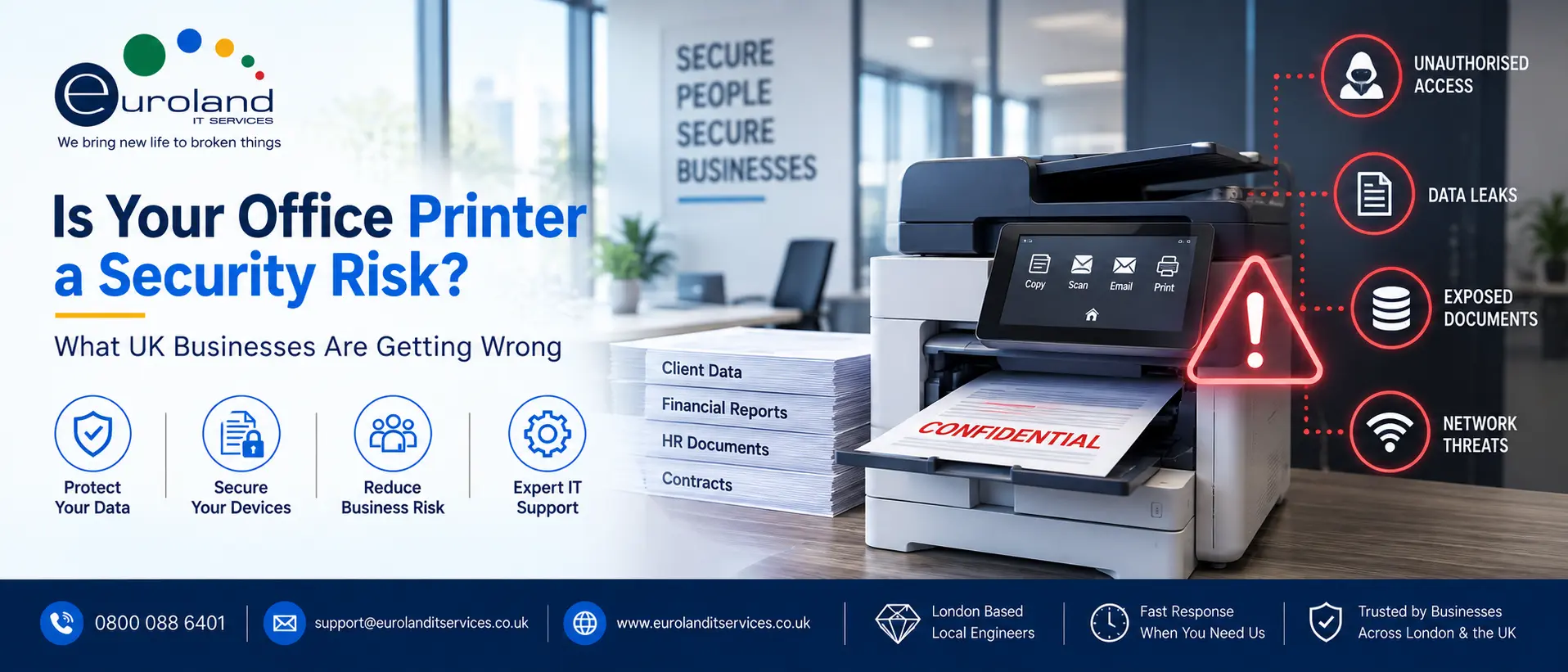
A modern office printer is not the dumb machine it looks like. It is a networked computer with a hard drive, an operating system, an internet connection and a direct line into your systems. It scans, it stores, it emails, it connects to the cloud. In security terms it is an endpoint, exactly like a laptop. Yet in most businesses it is the one endpoint that nobody patches, nobody monitors and nobody really secures.
Attackers know this. The printer is often the softest way in.
Why the printer became a blind spot
For years the printer was genuinely simple. It plugged in, it printed, and that was the end of it. There was nothing to secure because there was nothing there.
That changed, but our habits did not. The machine in the corner kept looking like a printer, so we kept treating it like one, even as it quietly turned into a full computer with all the same weaknesses. Meanwhile the security world moved on. We learned to lock down laptops, servers and phones. The printer got left behind, still sitting on the network with its factory settings, its default password and firmware that has not been updated since it was installed.
It is a bit like fitting your house with a top-of-the-range alarm system and then leaving the back door propped open. The effort you put in everywhere else does not help if there is an obvious gap.
What can actually go wrong
This is not scaremongering. The risks are specific and real.
The default password nobody changed. Most networked printers ship with a standard admin password, and a huge number are never changed. Those defaults are public knowledge. Anyone who can reach the printer over the network, or in some cases over the internet, can log into its admin panel and take control.
The hard drive full of your documents. Many office printers store a copy of everything they process on an internal drive. Every payslip, every contract, every confidential report that has passed through the machine. If that drive is not encrypted, and if the printer is later sold, returned at the end of a lease or thrown out without being wiped, all of that data walks out of the door with it.
Documents sitting in the output tray. The low-tech risk, and one of the most common. Someone sends a sensitive document to print, gets distracted, and it sits in the tray for anyone walking past to pick up. In an office handling personal or financial data, that is a data protection problem waiting to happen.
A foothold into the wider network. This is the one that should worry you most. A compromised printer is not just a printer problem. Because it sits on your network, it can be used as a stepping stone. An attacker who takes over the printer can use it to watch traffic, scan for other weaknesses, and work their way towards the systems that really matter. The printer is the entry point, not the target.
Scan-to-email abuse. Printers that can email scanned documents are handy, and also exploitable. A poorly configured machine can be hijacked to send data out of the business, quietly, using a device nobody is watching.
Why this fits the wider security picture
The timing matters. UK security expectations are tightening across the board, and the printer sits squarely inside that.
The updated Cyber Essentials requirements that landed in April 2026 pushed businesses towards better basic security hygiene, and the supply chain and connected devices are getting more attention than ever. A networked device running default settings and outdated firmware is precisely the kind of weak point the current guidance wants businesses to find and fix. The NCSC’s device security guidance applies to a printer just as much as it does to a laptop, even though almost nobody thinks to apply it there.
There is a data protection angle too. Under UK GDPR, you are responsible for the personal data your business holds, and that includes copies sitting on a printer’s hard drive or left in an output tray. A printer-related data leak is still a data leak, and the Information Commissioner’s Office will not accept “we forgot about the printer” as a defence.
How to close the gaps
The reassuring part is that securing a printer is not complicated. It is just usually nobody’s job, which is why it does not happen. Here is what needs doing.
Change the default passwords. The first and most obvious step. Every networked printer should have a strong, unique admin password, not the one it came with.
Keep the firmware updated. Printer manufacturers release security updates just like every other software vendor. Those updates need applying. On a fleet of machines, that is a real ongoing task rather than a one-off.
Encrypt the hard drives, and wipe them at end of life. Any printer storing document data should have that storage encrypted. And when a machine leaves the business, whether sold, returned or scrapped, the drive must be securely wiped first. This is easy to forget precisely because nobody thinks of the printer as holding data.
Use secure or “pull” printing. With secure printing, a document does not come out until the person who sent it authenticates at the machine, usually with a PIN or a card. Nothing sits in the tray waiting to be picked up by the wrong person. For any business handling sensitive information, this alone closes a common and embarrassing gap.
Lock down scan-to-email and cloud features. Configure them properly, restrict who can use them, and turn off anything you do not need. Every feature left open and unconfigured is a feature that can be misused.
Put printers behind proper network controls. Printers should not sit wide open on the same flat network as everything else. Sensible network segmentation limits what a compromised printer could reach, which turns a potential disaster into a contained problem. Our network support team handles exactly this kind of segmentation.
Why managed print makes this easy
Reading that list, you might notice the same theme as the rest of your security: it is all ongoing work that competes with everyone’s day job. Passwords, firmware, encryption, configuration, monitoring. On one printer it is manageable. Across a fleet of machines, it quietly falls through the cracks.
This is where managed print services earn their place. It is easy to assume managed print is only about saving money on toner and cost-per-page, and it does do that. But the security side is just as valuable and far less talked about. A proper managed print service keeps your fleet’s firmware current, enforces secure printing, handles encryption and end-of-life data wiping, and monitors the machines as the endpoints they actually are. The printer stops being the forgotten device and becomes part of your managed, secure estate.
It also joins up with the rest of your IT. There is little point securing your laptops and servers to a high standard while leaving a wide-open printer sitting among them. Treating print as part of the whole picture, alongside managed IT support, is what closes the gap for good. And if you run older or specialist print hardware that most providers will not touch, such as large-format plotters, we cover those too through our HP DesignJet plotter repairs service.
The takeaway
The office printer is the security risk hiding in plain sight. It looks harmless, it has looked harmless for decades, and that is exactly why it gets ignored while it quietly became one of the least protected computers in the building.
You do not need to panic about it. You just need to stop pretending it is only a printer. Change the passwords, update the firmware, encrypt the drives, use secure printing, and either give someone the ongoing job of keeping it that way or hand it to a managed print service that does it as standard.
The businesses with the best security are not the ones with the most expensive firewall. They are the ones with no obvious gaps. Do not let the machine in the corner be yours.
Book a free print security assessment for your office. We will review your printer fleet, find the gaps, and show you how to close them. Call us or request a callback.
Book a free print security assessment for your office. We will review your printer fleet, find the gaps, and show you how to close them. Call us or request a callback.
Frequently Asked Questions
Q1: Can a printer really be hacked?
A: Yes. A modern office printer is a networked computer with a hard drive, an operating system and a network connection. If it is left with default passwords and outdated firmware, an attacker who can reach it can take control, access stored documents, or use it as a way into the wider network.
Q2: What data does my office printer store?
A: Many multifunction printers keep copies of the documents they process on an internal hard drive. That can include anything scanned, printed or copied, such as contracts, payslips and confidential reports. If that drive is not encrypted or securely wiped at end of life, the data is at risk.
Q3: What is secure or pull printing?
A: Secure printing holds a document until the person who sent it authenticates at the machine, usually with a PIN or a card. Nothing prints into an open tray where anyone could pick it up. It is a simple, effective way to protect sensitive documents in a shared office.
Q4: Does print security matter for Cyber Essentials or GDPR?
A: Yes to both. A networked printer running default settings is the kind of weak point security guidance wants businesses to fix, and under UK GDPR you are responsible for personal data held on the device, including on its hard drive or left in an output tray.
Q5: How do I secure my printers?
A: Change default passwords, keep firmware updated, encrypt hard drives and wipe them at end of life, use secure printing, lock down scan-to-email and cloud features, and place printers behind proper network controls. Across a fleet, this is ongoing work that is best handled as a managed service.
Q6: Is managed print only about saving money?
A: No. Cost savings on toner and cost-per-page are part of it, but a good managed print service also handles the security side: firmware updates, secure printing, encryption, end-of-life data wiping and monitoring. It treats the printer as the endpoint it really is.
Q7: Should printers be on the same network as everything else?
A: Ideally not. Placing printers behind sensible network segmentation limits what a compromised machine could reach, so a printer problem stays contained rather than becoming a route into your critical systems.