
macOS 27 Ends Intel Mac Support: Should You Repair, Upgrade or Replace Your Mac?
There are two things happening to the Mac market this year, and together they change how you should think about a broken Mac.
The first is that Apple has drawn a line under the Intel era. The second is that new Macs are getting more expensive. One of those pushes you towards replacement. The other pushes you firmly back towards repair. Working out which applies to your machine takes about five minutes, and this guide walks you through it.
What Apple has confirmed
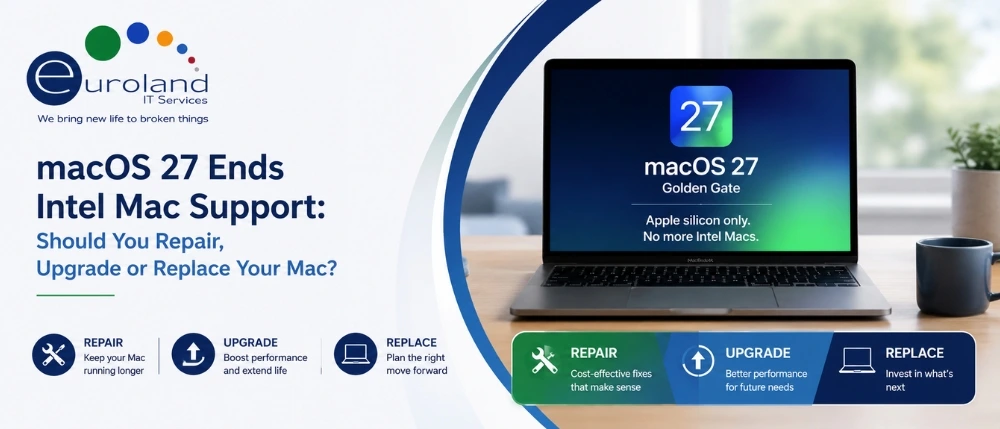
At WWDC 2026, Apple confirmed that macOS 27, known as Golden Gate, will run on Apple silicon only. It is the first version of macOS that no Intel Mac can install. macOS 26 Tahoe, released in September 2025, is the final release that supports Intel hardware at all.
The list of Intel Macs still supported by Tahoe is short. It comes down to four models:
- The 2019 Mac Pro
- The 2019 16-inch MacBook Pro
- The 2020 13-inch MacBook Pro with four Thunderbolt 3 ports
- The 2020 27-inch iMac
If you own one of these, nothing breaks overnight. Your Mac stays on Tahoe and keeps working exactly as it does today. Apple continues to issue security updates for a period after a version stops receiving feature updates, which puts Tahoe’s security coverage into the latter part of this decade. What you lose is the upgrade path to new macOS versions and, over time, compatibility with the newest applications.
The second piece, which often gets tangled with the first, is Rosetta 2. That is the translation layer allowing Intel applications to run on Apple silicon. It is a separate timeline and a separate concern, relevant to Apple silicon owners running legacy Intel software rather than to Intel Mac owners. If you rely on old audio plug-ins, niche scientific tools, legacy CAD software or unmaintained enterprise agents, it is worth auditing which of your applications still run through Rosetta. Open Activity Monitor and check the Kind column.
For IT teams, Computerworld’s assessment is blunt: 2026 is effectively the final year of feature support for Intel-based Macs, and any business still running them needs a plan rather than a hope.
The other half of the story: Mac prices are going up
Here is what changes the calculation.
Apple has raised prices on MacBooks and iPads, passing on the rising cost of memory and describing the shortage as an unprecedented challenge. That is not an isolated move. Reporting on the memory chip shortage shows the pressure running right across consumer electronics, with Gartner expecting soaring memory costs to reduce global PC shipments by more than 10% this year as buyers hold onto devices for longer. Analysts have separately warned that memory driven cost increases are pushing PC pricing up significantly during 2026, with further increases expected in the second half of the year.
The cause sits well outside the consumer market. AI data centres consume enormous quantities of DRAM and high bandwidth memory, and that memory is produced on the same wafers and in the same facilities as the memory found in laptops. Every wafer committed to AI memory is one that is not available for consumer devices.
So the practical position in July 2026 is this: replacing a Mac costs more than it did eighteen months ago, and it will likely cost more again before the year is out. Repairing one costs roughly what it always did.
That materially shifts the threshold at which repair makes sense.
The repair or replace decision, honestly
A useful rule of thumb is the 50% rule.If a repair costs less than half the price of a comparable replacement, repair it. If it costs more, replace it.
The rule has not changed. The number you are dividing by has. As replacement prices climb, repairs that looked borderline last year now sit comfortably on the right side of the line, and that gap is expected to widen further.
Layer on three questions:
1. Is the machine Intel or Apple silicon?
If it is an M1 or later, repair is almost always the right call. An M1 MacBook Air from 2020 remains a genuinely capable machine for web, office, media and light development work, and it will run macOS 27. Keeping it alive for another three years is straightforward value.
If it is Intel, you are investing in a machine with a defined feature ceiling. That does not automatically mean replace. It means the repair needs to be proportionate to the remaining useful life, which for a well specified 2019 or 2020 machine doing stable office work is still a reasonable number of years.
2. How old is the machine, and how is it used?
A 2020 iMac used as a front of house reception machine, or a design workstation running fixed, mature software, has years of service left in it. The same iMac used by a developer who needs the latest toolchains does not.
3. What is actually broken?
Some failures are cheap and decisive. Others are the visible symptom of a machine that is worn out. The sections below separate them.
Rather than quoting figures that vary by model, year and part availability, it is more useful to understand what drives the price. Four things:
The component involved. Batteries, fans, thermal service and storage sit at the lower end. Screen and display assemblies sit in the middle. Logic board work sits at the top.
Whether the part is modular or integrated. On older Macs, many components are separate and replaceable. On newer, thinner machines, parts are frequently bonded into a single assembly, which raises the cost of what would otherwise be a small repair.
Whether the repair is done at board level or by replacement.This is the biggest single variable, and the one most people never hear about.
The board level point, because it matters
Apple’s own service model tends towards replacing a failed logic board. That is expensive, and it is the reason many people are told their Mac is not worth fixing.
An independent workshop with the right equipment can often repair the board instead, addressing the specific failed component: a power management IC, a failed charging circuit, a blown capacitor, or corrosion from a liquid spill. Same fault, same outcome, materially different cost.
That distinction regularly turns a machine that has been written off elsewhere into a straightforward repair. We carry out component level board work in house as part of our Apple Mac repairs service, which is why it is always worth a second opinion before you accept that a Mac is beyond economical repair.
Repairs that are almost always worth it
Battery replacement. The cheapest way to make an ageing MacBook feel new again. If your machine is throttling, shutting down unexpectedly or holding barely any charge, the battery is the first thing to check, not the last.
Screen and display replacement. A cracked screen does not damage anything else. The machine underneath is usually perfectly healthy, which makes MacBook screen replacement one of the clearest value repairs available. The same logic applies to iMac display panels, where the rest of the machine typically has years left.
The quickest home test: plug in an external monitor. If the external display works normally, the fault is in the screen assembly, not the computer.
Storage upgrade or replacement. On older Macs where the SSD is not soldered, an upgrade transforms performance for a modest outlay. Even where it is soldered, a failed drive can often be addressed at board level.
Thermal service. Dust, dried thermal paste and failing fans cause throttling that people mistake for the machine being past it. A proper clean and repaste on a MacBook Pro that runs hot and slow often restores most of its original performance.
Keyboard replacement. Particularly on butterfly keyboard era machines, where a single failing key makes an otherwise healthy machine unusable.
Repairs that rarely are
Multiple concurrent failures on an Intel machine. If the battery is dead, the screen is failing and the fan is going, you are rebuilding a machine that will not see macOS 27. Put the money towards Apple silicon.
Severe liquid damage across multiple boards. Always worth a diagnostic, because outcomes vary enormously, but be prepared for the answer to be that recovering your data is the sensible objective rather than restoring the machine.
Any repair approaching the cost of a refurbished Apple silicon equivalent. If the quote lands near the price of a certified refurbished M1 or M2 machine, take the newer platform. We will tell you when that is the case.
If you manage Macs for a business
The considerations change when you are dealing with a fleet rather than a single machine.
Audit before you budget. You need to know exactly which machines in your estate are Intel and which are Apple silicon, and when each was purchased. A surprising number of organisations do not, which means the macOS 27 cutoff arrives as a surprise in the autumn rather than as a planned line in the budget.
Stagger, do not rip and replace. Given current pricing pressure, replacing an entire Intel fleet in one purchase this year is the most expensive path available. Repair and retain the machines that are healthy, replace the ones with genuine hardware faults, and phase the rest across two budget cycles.
Do not forget the rest of the estate. Mixed fleets are the norm. If you also run Windows laptops and desktops, the same repair economics apply, and our laptop repairs and computer repairs teams handle those under the same arrangement.
Get a single point of accountability. Businesses running a mixed vendor estate of Macs, PCs, servers, switches and printers rarely benefit from managing six separate support relationships. Our third party IT hardware maintenance contracts consolidate that into one contract with defined SLAs, and our managed IT support in London wraps the whole estate into a single service.
For regulated sectors there is an additional dimension. Organisations in financial services and healthcare need to evidence that endpoints remain within security support. A machine still receiving security updates on Tahoe is defensible. One that has fallen off support entirely is not. Schools face the same expectation under the Department for Education’s digital and technology standards, which is why our IT support for schools and education team handles Mac estates as part of a wider compliance picture.
How to get a straight answer on your own Mac
Three practical points.
Insist on a diagnostic before a quote. A price given over the phone from a description is a guess. A blank screen can be a simple display fault or a board fault, and the only way to know is to look.
Ask whether board level repair is offered. If a provider only replaces boards, you will pay replacement prices for faults that could have been repaired.
Insist on no fix, no fee. You should not pay for a diagnostic that concludes the machine cannot be economically saved.
Conclusion
Apple has ended the Intel era, but it has done so gently. If your Intel Mac still does the job, it stays on Tahoe, keeps receiving security updates and continues working. There is no panic timeline.
What there is, is a shifted set of economics. New Macs cost more than they did, memory pricing shows no sign of easing before 2027, and a well executed repair on a healthy machine has never represented better value. The right answer for most people, and for most business fleets, is to repair what is worth repairing, plan the Apple silicon migration across two budget cycles rather than one, and stop paying replacement prices for problems a targeted repair would solve.
If you are unsure which category your Mac falls into, bring it in. Euroland IT Services offers free diagnostics on all Apple Mac repairs across London, no fix no fee, and a clear written quote before any work begins.
Call us or request a callback for a free Mac diagnostic.
Frequently Asked Questions
Q1: Will my Intel Mac stop working when macOS 27 is released?
A: It stays on macOS Tahoe and continues to run normally. It will not upgrade to macOS 27, and it will receive security updates rather than new features for a period after that.
Q2: Which Intel Macs are affected by the macOS 27 cutoff?
A: The four Intel models still supported by Tahoe: the 2019 Mac Pro, the 2019 16-inch MacBook Pro, the 2020 13-inch MacBook Pro with four Thunderbolt 3 ports, and the 2020 27-inch iMac. Older Intel Macs had already fallen off the supported list before Tahoe.
Q3: Is it worth replacing the screen on an old MacBook?
A: Usually yes, particularly on Apple silicon machines. A cracked screen does not affect the rest of the computer, so replacing it on an otherwise healthy Mac is one of the best value repairs available. With replacement Macs rising in price this year, the case is stronger than it was.
Q4: How can I tell whether the problem is the screen or the whole Mac?
A: Connect an external monitor. If the external display works normally, the fault is almost certainly in the screen assembly and the rest of the machine is fine, which makes it a straightforward repair.
Q5: Can you repair a Mac logic board rather than replace it?
A: Yes. Component level board repair addresses the specific failed component rather than swapping the entire board. It is one of the main reasons an independent repair specialist can save a machine that has been written off elsewhere.
Q6:Why are Mac prices increasing in 2026?
A: A global shortage of memory, driven largely by AI data centre demand for DRAM and high bandwidth memory, has pushed component costs up sharply. Apple has raised MacBook and iPad prices as a result, and analysts expect memory driven price pressure across the wider PC market to persist into 2027.
Q7:Should my business replace all its Intel Macs this year?
A: Rarely the best approach. Replacing an entire Intel fleet in a single purchase during a price surge is the most expensive option available. Audit the estate, repair and retain the healthy machines, and phase replacement across two budget cycles.
Q8:Do you offer business Mac repair contracts?
A:Yes. We provide hardware maintenance and break fix contracts covering Macs alongside PCs, servers, networking and print, with defined SLAs and a single point of contact.