
The DfE IT Support Standards: What Schools and Trusts Need in Place for 2026
Most school leaders did not go into education to worry about network switching and identity governance. Yet the Department for Education now expects every school, college and multi-academy trust in England to demonstrate real progress against a defined set of digital and technology standards, and IT support has been pulled directly into that framework.
If you are a school business manager, trust operations lead or headteacher, the practical question is simple. Does your current IT support arrangement, whether it is one member of staff, an external provider or a mixture of both, actually meet what the DfE now expects? For a large number of schools, the honest answer is not yet.
This guide breaks down what the standards say, where schools typically fall short, and what you can realistically achieve before the new academic year begins.
What has actually changed
The DfE published its digital and technology standards in 2022 and has been refining them since. Two developments matter most right now.
First, the Department added a dedicated IT support standards section to the framework. It sets out what IT support means, what it should deliver, and how it connects to the wider standards. The DfE defines IT support as the person or team responsible for making sure your school or college’s digital technology works reliably, is secure and stays up to date. That support can be internal, external or a hybrid of the two, and the standard applies regardless of which model you use.
Second, the framework has moved from advisory to consequential. The November 2025 update introduced clearer benchmarks for each standard, progress reporting expectations from 2026, and guidance on funding to support compliance. Schools are now expected to assess their current digital capability, build a roadmap, and evidence improvement over time. The Department’s guidance on meeting digital and technology standards in schools and colleges was updated again in June 2026, and it is the document your governors will be asked about.
The direction of travel is unmistakable. Standards that began as helpful advice are increasingly referenced in funding conditions, procurement frameworks and inspection conversations.
The five IT support standards, explained
The IT support section sits alongside the other standards and contains five expectations. In plain English:
1. Your IT support must help you meet the digital and technology standards
Meeting the standards is a shared responsibility, but IT support holds most of the technical answers. Your provider or internal team should understand the standards in detail and be able to tell you, without prompting, where you currently sit against each one.
A simple test: ask your IT support to show you a written assessment of your school against the six core standards. If they cannot produce one, that is the first gap.
2. IT support must have the right skills and experience
The people supporting your technology need the qualifications and experience to understand what the standards require and how to deliver against them. Schools are complex environments. Safeguarding, MIS, filtering, exam systems and cloud identity all sit on the same infrastructure, and a generalist who is comfortable resetting passwords is not necessarily equipped to design a compliant network.
3. Your school must define the IT support it needs
The senior leadership digital lead, working with the business manager, should establish what level of support the setting actually requires. Critically, this should account for exceptional periods, such as exam weeks and cyber incidents. A support contract that works fine in November is not much use if nobody answers the phone at 8am during GCSE season.
4. IT support activity must stay aligned to the standards
Day to day decisions, upgrades and procurement should be made with the standards in mind rather than in isolation. Replacing a failing switch is an opportunity to move towards the network switching standard, not just to stop the fault recurring.
5. IT support should help staff and pupils use technology effectively
Support is not only about keeping systems running. It includes helping the school get value from the technology it has already paid for, which is a fair challenge in a sector where a great deal of licensed software sits unused.
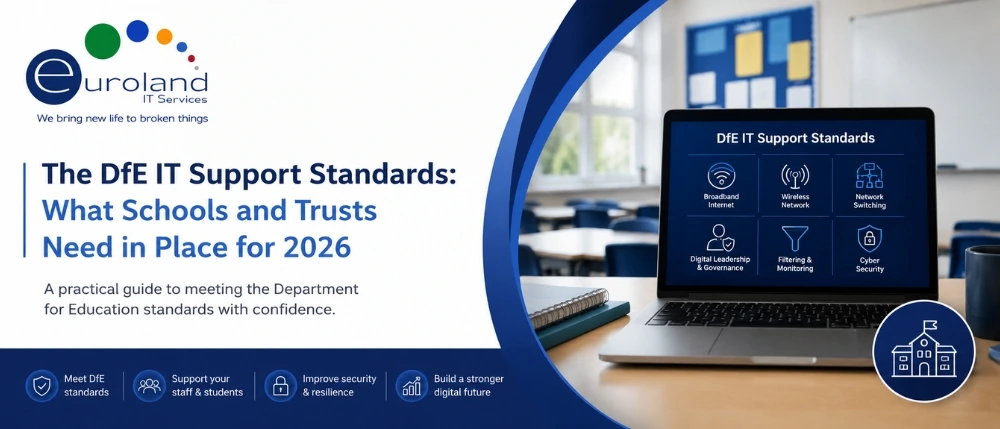
The six core standards your IT support has to deliver against
- Broadband Internet
- Wireless Network
- Network Switching
- Digital Leadership & Governance
- Filtering & Monitoring
- Cyber Security
These are the foundations. If they are not in place, very little else in your digital strategy holds up.
Connectivity and network
The DfE treats connectivity as critical infrastructure rather than a convenience. In practice, that means sufficient, uncontended bandwidth to support every user and device simultaneously, without degradation at registration time or when several classes stream video at once. A contended connection can look impressive on paper and still crawl when it matters.
Wireless and switching sit underneath this. Ageing access points and unmanaged switches are one of the most common reasons a school with a good broadband line still gets complaints about slow Wi-Fi. If your switch estate is past its manufacturer support date, our third party IT hardware maintenance contracts can keep it covered and supported without an unbudgeted replacement, and our network support team can design the upgrade path when the time is right.
Filtering and monitoring
The DfE is explicit that simply having filtering in place is not enough. The filtering and monitoring standards for schools and colleges require active management, regular reviews, clear approval processes, incident handling workflows and evidence of oversight. A named senior leader and a named governor must hold responsibility, and systems must be reviewed at least annually.
The 2026 update added a significant new consideration around generative AI. Schools introducing AI tools are asked to assess the risks, and to consider whether their filtering and monitoring solution can handle real time, dynamic, personalised and AI generated content. This matters technically, because a DNS or URL based filter cannot detect risk inside AI generated material that never sits on a blocklisted page.
If pupils in your setting are using AI tools, and they almost certainly are, your filtering review this year needs to address this directly.
Cyber security
This is consistently the highest risk area across the sector. Schools hold some of the most sensitive data in the public sector, yet environments frequently show inconsistent device management, limited multi-factor authentication, weak identity controls and manual joiner and leaver processes.
The cyber security standards for schools and colleges expect MFA across all appropriate systems, modern device management, secure configurations, strong identity governance, and regular patching and monitoring. Cyber Essentials certification is treated as a baseline expectation, with Cyber Essentials Plus increasingly referenced in grant conditions and procurement frameworks.
Education has been one of the most heavily targeted sectors in the UK for cyber attack for several years. The National Cyber Security Centre publishes dedicated cyber security guidance for schools, and it is worth reading alongside the DfE standards rather than instead of them.
Digital leadership and governance
This is the standard that determines whether the others stick. It covers defined roles, clear ownership of digital strategy, assurance reporting, evidence of risk management and structured review cycles. Without it, improvements happen once and then decay.
Where schools are falling short
Across the sector, the same pattern recurs:
- Ageing infrastructure that was fit for purpose five years ago and has quietly stopped being so.
- Fragmented systems accumulated over time, with no single view of the estate.
- Inconsistent cyber practice, particularly around MFA and privileged accounts.
- No asset register, so nobody knows what hardware exists, how old it is, or when support expires.
- Governance gaps, where digital strategy has no clear owner at leadership level.
- Reactive support, where the provider fixes tickets competently but never raises the strategic issues.
The problem is rarely unwillingness. It is time, budget, and the difficulty of knowing which gap to close first.
A practical summer term action plan
You do not need to solve every standard at once. What matters is having a plan, demonstrating progress and addressing the highest risk areas first. Here is a realistic sequence.
Weeks 1 to 2: Establish the baseline
- Complete a written self assessment against the six core standards
- Build or refresh an asset register covering servers, switches, access points, devices and printers, with age and support status for each
- Identify every system without MFA
Weeks 3 to 4: Close the highest risk gaps
- Enable MFA on all staff accounts and all administrative access
- Remove local administrator rights from pupil account
- Verify that backups exist, are isolated, and have actually been restored in a test
Weeks 5 to 6: Address filtering, monitoring and AI
- Review your filtering solution against the 2026 guidance, specifically its ability to handle AI generated and dynamic content
- Confirm the named senior leader and governor responsible
- Document your incident handling workflow
Over the summer holiday: Fix the infrastructure
The holiday is the only realistic window for disruptive work. Switch replacements, wireless upgrades, server migrations and device reimaging all belong here. It is also the right time to deal with the hardware that has been limping along all year. Our teams handle computer repairs and laptop repairs in bulk over the summer for schools that need a fleet back in working order before September, which is often far cheaper than replacement in the current hardware market.
In-house, outsourced or hybrid: choosing the right model
The DfE does not mandate a model. It mandates an outcome. The right structure depends on your size and complexity.
A single in-house technician works for a small primary with a simple estate, provided that person has genuine backup cover and access to specialist expertise when they need it. The risk is the single point of failure, and holiday and sickness cover during exam periods.
A fully outsourced provider gives you a team rather than an individual, breadth of expertise and, if the contract is written properly, accountability against the standards. The risk is a provider who is responsive on tickets but disengaged from strategy.
A hybrid model is what most multi-academy trusts settle on. An internal lead who understands the school and its people, supported by an external partner who brings depth on security, infrastructure and compliance. For trusts, this also delivers real economies of scale, since per pupil cost drops substantially when cyber tooling and expertise are shared across several schools.
Whichever model you choose, the contract should explicitly reference the DfE standards. If it does not, nobody is accountable for them.
What good IT support looks like against the standards
You should expect your IT support, internal or external, to:
- Produce an annual written assessment against all six core standards
- Maintain a live asset register with support expiry dates
- Report on patching, MFA coverage, and backup testing to leadership on a regular cycle
- Flag risks proactively rather than waiting to be asked
- Understand safeguarding obligations, not just technical ones
- Provide guaranteed cover during exam periods and incidents
- Give a straight answer on what a proposed change costs and which standard it advances
Euroland IT Services works with schools, colleges and trusts across the UK, delivering managed IT support for education that is built around the DfE framework rather than bolted onto it. That includes network design, hardware maintenance, device repair and full managed IT support for settings that want a single accountable partner.
If your school is also managing a print estate, an ageing plotter in the design department or a legacy backup system, we support those too, from managed print services through to HP DesignJet plotter repairs and tape drive repairs.
Conclusion
The DfE standards are not legislation, but they carry weight. They are increasingly referenced in funding conditions, procurement rules and inspection conversations, and they represent a reasonable definition of what a safe, reliable school IT environment looks like.
The schools that will struggle are not the ones with old kit. They are the ones with no plan, no asset register and no clear owner. Getting those three things in place costs very little and moves you further than any single technology purchase.
If you would like an independent assessment of where your school or trust currently sits against the six core standards, we offer a free gap review with a written report you can take straight to your governors.
Frequently Asked Questions
Are the DfE digital and technology standards mandatory?
They are guidance rather than legislation. However, they are increasingly referenced in ESFA grant conditions, procurement frameworks and inspection discussions, and schools that align with them can demonstrate due diligence on safeguarding, data protection and value for money. Treating them as optional is a risk.
What are the six core standards schools must meet by 2030?
Broadband internet, wireless network, network switching, digital leadership and governance, filtering and monitoring, and cyber security. All schools and colleges are expected to be working towards these.
Do the IT support standards apply if we outsource our IT?
Yes. The standards apply whether your IT support is internal, external or hybrid. Your provider should understand the standards and be able to evidence how your setting performs against them.
Does our school need Cyber Essentials?
Cyber Essentials is treated as a baseline expectation within the standards, with Cyber Essentials Plus expected where appropriate and increasingly required for certain grant funding and framework procurement. The certification cost is modest and the diagnostic value is high.
Is MFA required for pupils as well as staff?
MFA is expected for staff across appropriate systems. For pupils the position is more nuanced and full MFA is not currently mandated, particularly at primary level. Reasonable practice is MFA for pupils with elevated access, strong unique passwords for all pupils, and no local administrator rights on devices.
How does generative AI affect our filtering and monitoring obligations?
The 2026 update asks schools to consider whether their filtering and monitoring solution can handle real time, dynamic, personalised and AI generated content, and to assess the risks of any generative AI tools they introduce. Traditional DNS and URL filters cannot see inside AI generated material, so this needs specific attention in your annual review.
We have no budget for a full infrastructure refresh. What should we prioritise?
Start with the items that cost little and reduce the most risk: MFA, removal of pupil administrator rights, tested backups, and an accurate asset register. Where hardware is ageing but functional, third party maintenance can keep it supported and compliant for a fraction of replacement cost while you plan a phased upgrade.
When is the best time to carry out school IT upgrades?
The summer holiday is the only realistic window for disruptive work such as switch replacement, wireless upgrades and device reimaging. Planning should begin in the spring term, as good providers book up quickly.